
A CMMS template you own, on Bubble.
Maintelity is a work-order and asset management template for Bubble. Buy it once, open it in your own Bubble account, and customise it into the CMMS your team needs — then host it yourself.
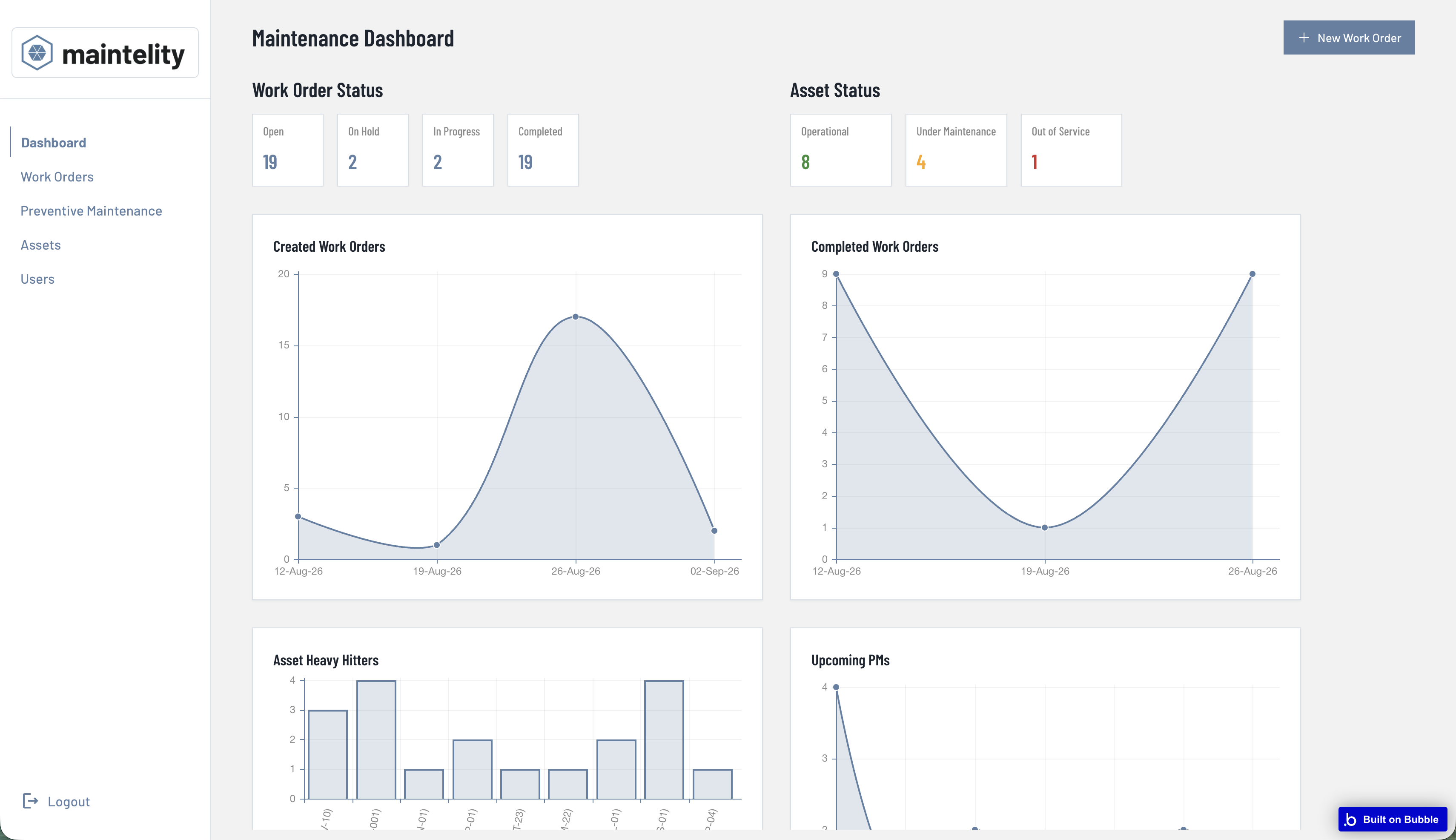
A working CMMS, ready for you to reshape
§ 01The queue reads itself
Overdue first, priority as weight marks, one accent for lateness. No colour-coded legend to memorise.
History attached to the machine
Every linked work order and PM sits on the asset, so a repeat failure this quarter is easy to see.
Recurring jobs raise themselves
Schedules generate work orders on the cadence you set — from a weekly walk to an annual overhaul.
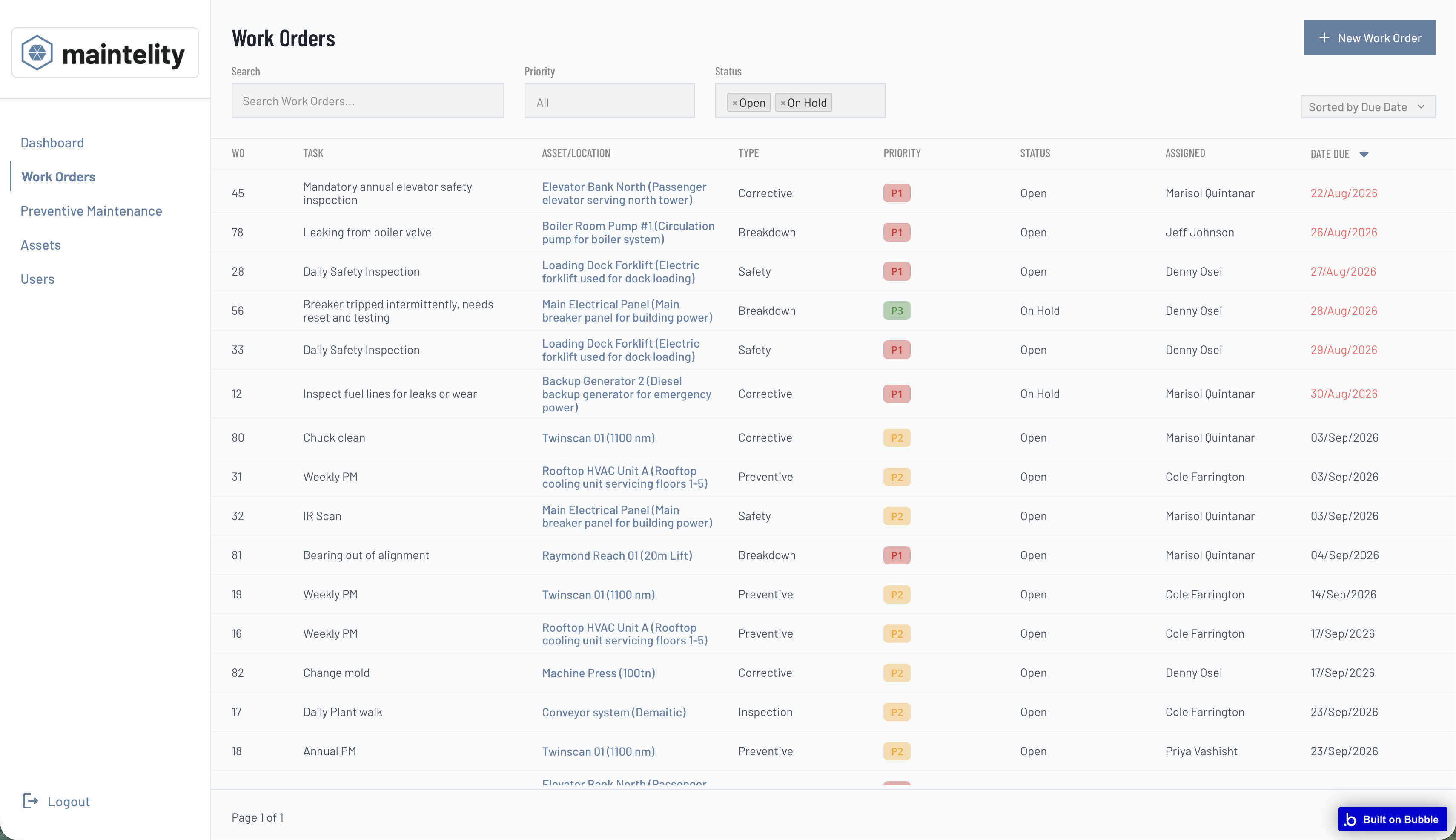
Eight columns, no hunting
Priority, status, asset, technician and due date sit on one line, so lateness reads at a glance instead of hiding in a detail view. Every column, filter and colour is yours to change in the Bubble editor.
- Search, priority and status filters
- Sortable columns, overdue in red
- Status advanced from the row
- Every field editable in the Bubble editor
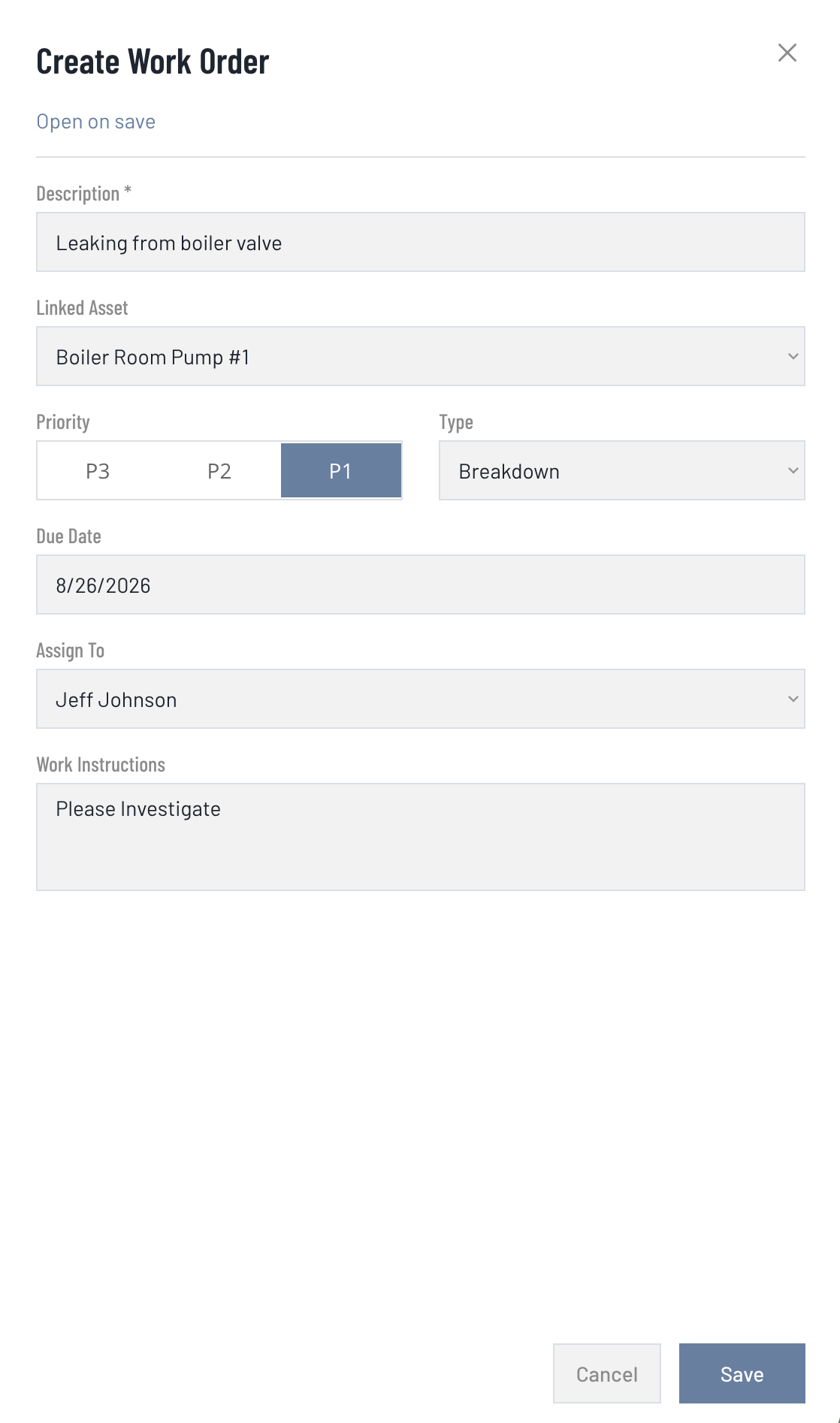
Log a job in the time it takes to hear about it
The create pane slides in beside the list, not over it, so the queue you are adding to stays readable. Status is stated rather than asked — a new order is Open, and moves on from the row or the record.
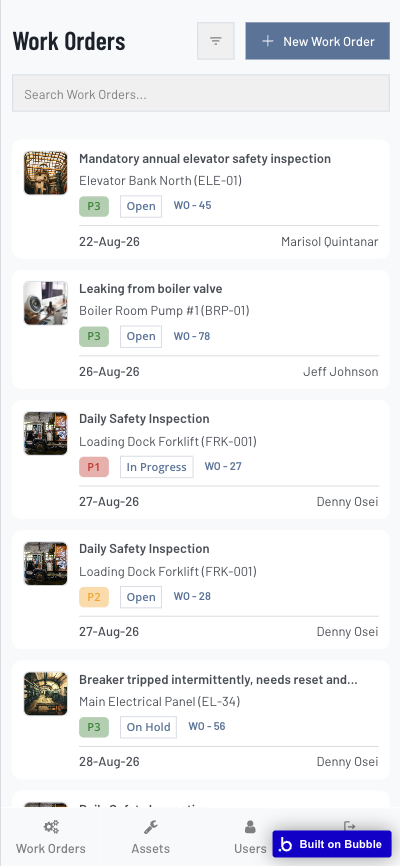
The floor in your pocket
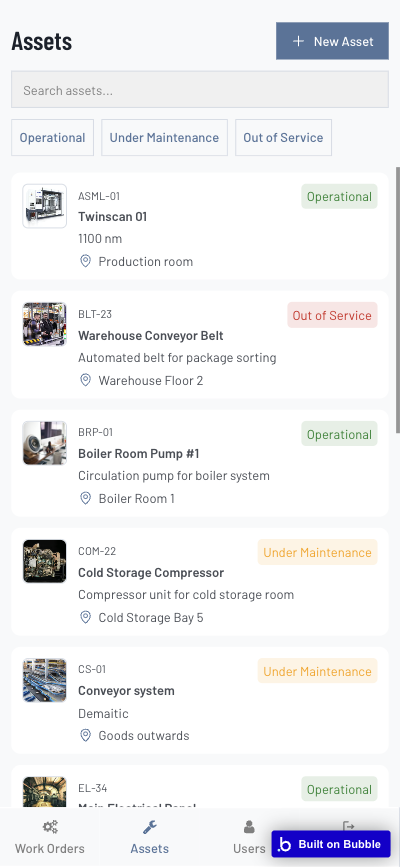
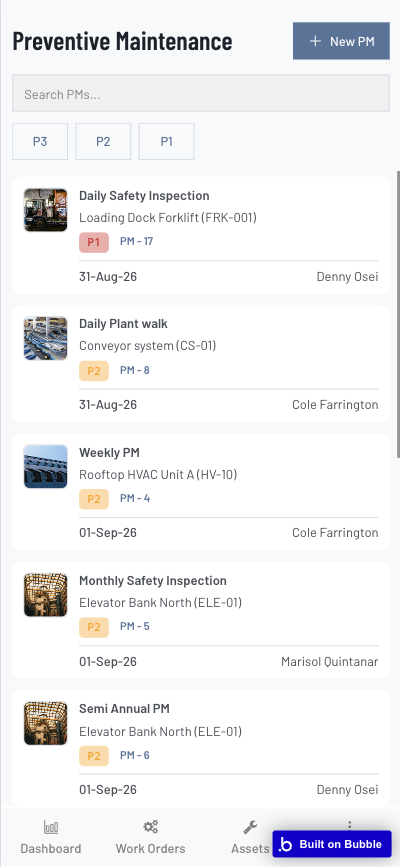
Maintenance happens away from a desk. The Work Orders, Assets, Users, Preventive Maintenance and Dashboard screens now reflow to the phone, so a technician can check a queue, look up an asset's history or scan the PM schedule from the floor — the same records, sized for the hand.
Template specification
§ 02Recurring inspections that raise themselves
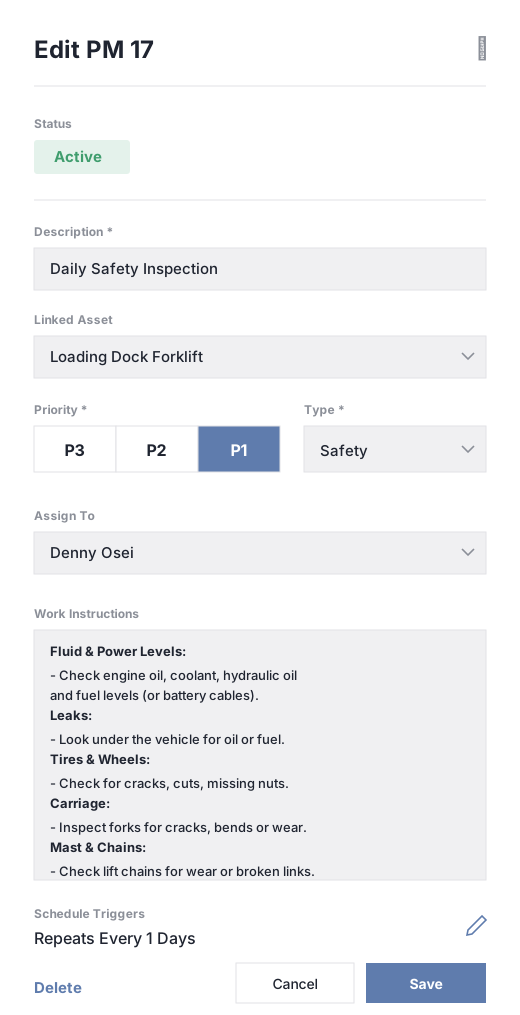
Configure a preventive maintenance job once — linked asset, priority, type, assignee and a work-instruction checklist — then set a schedule trigger to repeat it. Daily safety checks, weekly walks, annual overhauls: the work appears on its own, so nothing gets skipped and reliability climbs.
- Linked asset, priority and type
- Assignee and instruction checklist
- Repeat every N days, weeks or months
- Generates work orders automatically
The plant's memory, not one person's
The best maintenance knowledge usually lives in a few heads and a shed full of notes. Maintelity turns every job into a record the organisation keeps — so experience compounds on the asset instead of walking out with the person who had it.
The method, not just the task
Every work order and PM carries a work-instruction checklist, so the procedure lives in the app instead of in one person's head.
Routines stay with the machine
Each asset carries its linked jobs and PM schedule, so the next person meets the machine's routine instead of starting from a blank page.
Owned, because you host it
Procedures and schedules live in the Bubble app your team owns, so a resignation is a handover, not a hole in the schedule.
Buy it once. Make it yours.
Purchase the Maintelity template, open it in your own Bubble account, and change whatever you need — fields, workflows, branding. You host it, you own it, and it is never someone else's SaaS to switch off.